
Open the link on your phone and be sure to choose the option to ADD TO HOME SCREEN so it will appear as an app for easy access!

CONTACT
Contact me for GENERAL ENQUIRIES, SUPPORT or PRIVACY
LANDSCAPE PLANNER PRO
WHAT IS IT?
It’s simple to use, but a very powerful and effective app to help you with your landscape photography planning.
I’ve always wanted a stand-alone app that could tell me all the location and environmental information I could ever need to help plan a landscape photo session…so I decided to make one! It’s called Landscape Planner Pro.
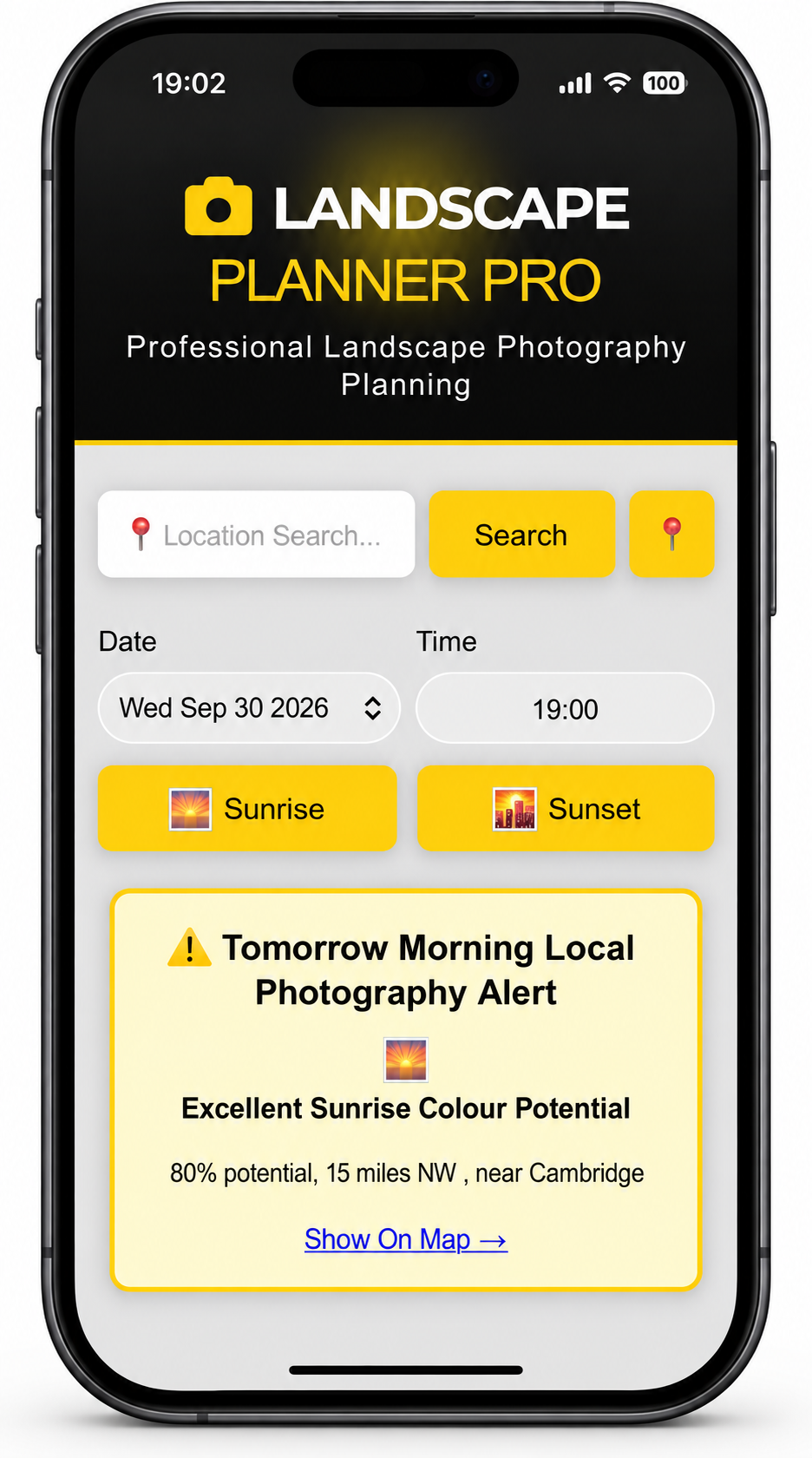
Time is precious, right? The vast majority of us aren’t professional photographers, we have day jobs, busy family lives and we have limited time for our beloved pastime. So I wanted to develop LPP to help us make the most of that time, to advise and recommend the best type of landscape photography to plan for with the given weather conditions, season, time and location. LPP will make recommendations to shoot woodlands or long exposures for example, to help you make the most of the weather and conditions, to maximise your time and to improve your chances of going home with a successful shot in the limited precious time available to you. Not only that, LPP will show an alert if your local conditions within a 40 mile radius for the following morning are forecasting a colourful sunrise, fog or frost - just the kind of information you need to know if you’re wondering if you need to set the alarm clock for an early rise.
LPP is a web app which has a number of unique features. It works on all devices across all platforms. It sucks in a lot of information from many sources and compiles it into several ‘panels’ full of really useful information to help the landscape photographer plan for the next adventure outdoors with a camera.
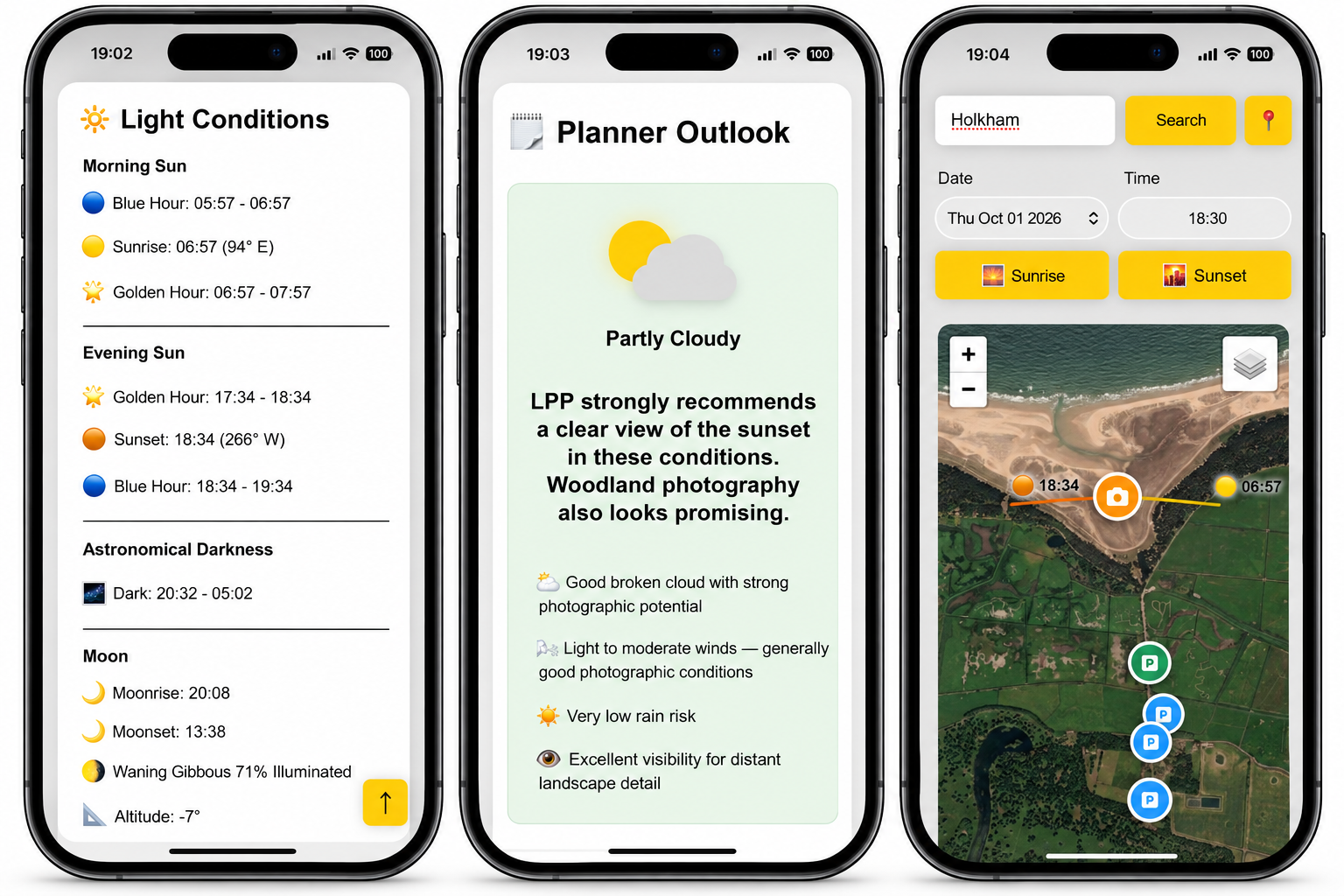
Map - showing the angles of the sun and moon
Light Conditions - everything to do with the sun and moon
Weather - showing all the usual info plus cloud layer information
Weather Alerts - if there is a good chance of a colourful sunrise, fog or frost not too far away the following morning, LPP will let you know where.
Seasonal Events - what’s good to shoot at the moment
Coastal Tides - the next high and low tides (UK only feature)
Car Parks - where’s best to park for the location you’ve searched
Drone Flying - flying conditions for your particular model of drone and the nearest airfield information if you need authorisations (UK only feature)
Nearby Amenities - do you need food, a toilet, a pub or a coffee - all the nearby facilities and directions to get there
Hotspots - some popular locations you might want to photograph nearby
Images - a small selection of images so you know what to expect when you get there
Toolbox - some useful tools and calculators for in-the-field compositions
THE PLANNER OUTLOOK AND PHOTO OPPORTUNITIES - THE KEY TO SUCCESS
Planner Outlook and Photo Opportunities are the two key panels which work together and make LPP unique.
Behind the scenes, LPP works hard to analyse an unbelievable amount of information. To give you an idea, LPP even assesses the weather along a track towards the sunrise or sunset, what is referred to as the ‘clarity corridor’, and the clouds overhead your location to determine the likelihood of getting a sky that will light up with those colourful skies we all think of as the holy grail of landscape photography. If conditions are right, LPP will give a high score in the Opportunites panel for sunrise or sunset cloud colour. If it’s damp and foggy, woodland photography will score highly. Likewise, drone, long exposure, sunset views, fog and mist, frost and Milky Way photography opportunities are all assessed and graded for you so that you know what subject is most likely to give you a successful result in the precious limited time you have available.
A summary of the best opportunities, a summary of the weather and some explanatory notes are then presented to you in a quick-glance format in the Planner Outlook Panel.
HOW CAN I USE IT?
Just click the button above to TRY IT FOR FREE - for a limited time only. It works across all platforms. But it has been developed specifically for mobile devices so you can have it with you when outdoors on a photography adventure. Once you have LPP open on your phone, be sure to choose the option to ADD TO HOME SCREEN and it will appear as an app.
Going forward, I would love to be able to offer LPP as a free app. However, many of the features rely on external sources of information and references which come at a cost to me. I will therefore eventually need to charge a small subscription fee. I hope you agree that once you use it, you’ll find it a worthwhile investment and will really help you plan your landscape photography adventures. Subscription costs will follow at a later date.
USER MANUAL
More information about using Landscape Planner Pro and a full explanation of it’s features HERE
Show Your Support for LPP AND HELP ME DEVELOP IT FURTHER
Show your support for Landscape Planner Pro, help me get the name out there, and help me develop it further by purchasing LPP-branded outdoor photography gear HERE